
The Solo Nomad Saga: Simplicity on the Move
Ah, the solo nomad life. I remember those days, wandering through the narrow streets of Rome, pulling up Google Maps to find that tiny, incredible pizza place in Trastevere, or needing to quickly book a last-minute train ticket from Termini station to Florence. My phone was my lifeline, my office, my entertainment system. For years, I swore by local physical SIMs, often spending an hour after landing at Fiumicino trying to explain to a TIM or Vodafone Italy clerk exactly what kind of data plan I needed, only to find the top-up process was a nightmare of confusing texts and impenetrable Italian. It was a constant low-level stress, always wondering if my data would run out mid-video call with a client.
Then eSIMs arrived, and suddenly, that particular brand of travel friction vanished. I could land, turn on my phone, and be connected instantly. No more hunting for a SIM card shop that wasn't inexplicably closed for siesta (a real problem in smaller European towns, trust me), no more fumbling with tiny trays and ejector pins. For the solo traveler, it's about pure, unadulterated convenience. You buy a plan, activate it with a QR code, and you're good to go. Need to switch countries? Buy another plan, scan, and you're connected in a new locale. It's the digital equivalent of a seamless border crossing, minus the passport control.
The Freedom of Uninterrupted Work
When you're working solo from a cafe in Berlin's Prenzlauer Berg, every minute counts. You can't afford to lose an hour to connectivity issues. My work often involves uploading large photo files or participating in video conferences, and having a reliable, high-speed connection is non-negotiable. An eSIM ensures I'm always on the network, whether I'm tethering my laptop in a quiet corner of a cafe or reviewing edits on a park bench by the Spree. It means I can focus on the job, not on finding Wi-Fi, which, let's be honest, is rarely as secure or fast as a dedicated cellular connection.
This means more time exploring, less time stressing. I once missed an important deadline because the Wi-Fi at my hostel in Krakow decided to spontaneously combust for a full 24 hours. Never again. Now, with an eSIM on my iPhone, I'm insulated from those kinds of local network whims. I can even quickly set up a hotspot for my tablet if I want to switch screens for a bit of light reading.
The Family Travel Tableau: Keeping Everyone Connected
Now, let's talk about family travel. This is a whole different ballgame. The stakes are higher, the needs more varied, and the potential for digital meltdowns, well, let's just say it's amplified. Imagine trying to navigate the bustling Shibuya crossing in Tokyo with two kids, one asking for directions to the Pokemon Center, the other demanding to watch 'Bluey' on their iPad, all while you're trying to find your Airbnb in Shinjuku and respond to an urgent Slack message from your client. That's not just travel, that's a logistical military operation.
An eSIM for a remote working parent isn't just about personal connectivity, it's about becoming the family's mobile command center. It means one primary device, typically the parent's phone, acts as the data hub, providing internet to multiple devices. Kids' tablets, partners' phones, even a portable Wi-Fi dongle for a laptop, all drawing from a single, robust data plan. This simplifies billing, troubleshooting, and ensures everyone stays connected, whether it's for schoolwork, entertainment, or simply reaching out if someone gets separated in a crowded market.
The Multitasking Marvel: Hotspot and More
My friend, a freelance architect, spent three months last year working from various spots in Southeast Asia with his wife and two young children. His phone, loaded with a regional eSIM, became the family's primary internet source. While he was designing blueprints from a co-working space in Da Nang's An Thượng district, his kids were streaming cartoons at their rental. When they were on a long-distance train from Hanoi to Hue, he'd turn on the hotspot so his wife could research their next guesthouse while the children played educational games offline.
The ability to hotspot reliably is crucial for families. Not all eSIM plans allow it, or some restrict it, so it's a detail worth checking. But when it works, it's like having a portable Wi-Fi router in your pocket, powered by a local network. This means no more relying on dodgy hotel Wi-Fi, or racking up huge roaming bills on individual devices. It's a game-changer for maintaining sanity and productivity.

eSIM Fundamentals: A Quick Refresher
For those still clinging to physical SIM cards, an eSIM (embedded Subscriber Identity Module) is a digital SIM that allows you to activate a cellular plan from a carrier without needing a physical nano-SIM card. Most modern smartphones, particularly iPhones since the XS model and many Android flagships, support eSIM technology. It means you can have multiple cellular plans on one device and switch between them with a few taps.
How eSIMs Transform Connectivity
Think of it as having a digital wallet for your phone numbers and data plans. Instead of swapping out tiny plastic cards, you download profiles. This is particularly handy for travelers who frequently cross borders. I can have my primary plan for calls and texts, and then load up a data-only eSIM for my travels, like the one I used during my recent Greek island hopping adventure. No physical card to lose, no fumbling at customs, just instant data. It's a subtle but profound shift in how we approach global connectivity.
The Ease of Activation: A Digital Dream
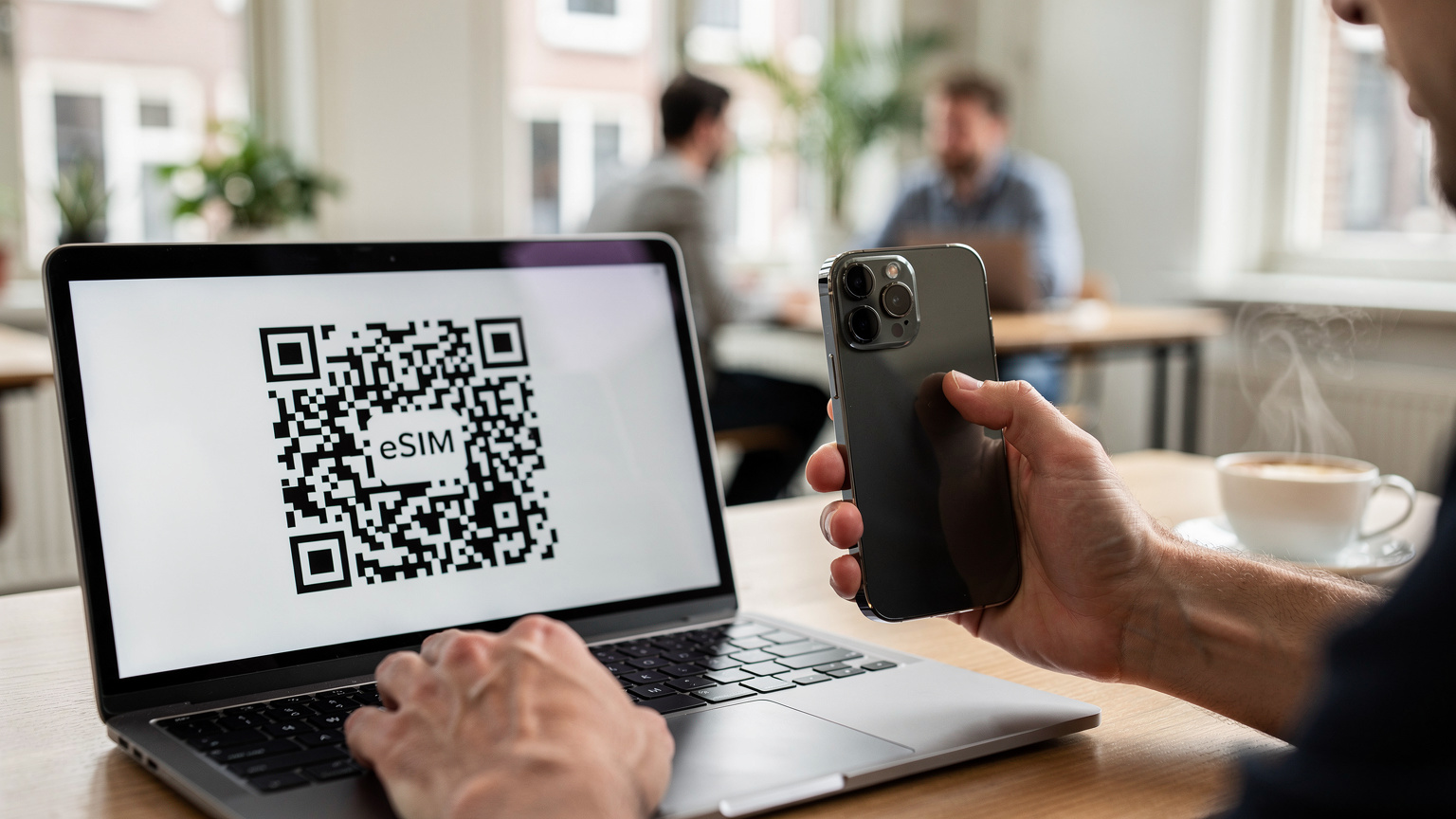
Activating an eSIM is usually a quick process. You receive a QR code, scan it with your phone's camera, and follow a few on-screen prompts. That's it. No need to register with a passport in some countries, no waiting in line. I've activated eSIMs while still on the plane taxiing to the gate at Changi Airport in Singapore, ready to order a Grab to my hotel in the Kampong Glam district before I even cleared immigration. It saves precious travel time, especially when you're arriving in a new place with tired kids in tow.
Picking Your Plan: Data Needs for Different Travelers
The right eSIM plan depends heavily on your travel style. A solo nomad might prioritize data volume and speed for work, while a family might focus on shared data and hotspot capability, often needing more total gigabytes.
Solo Nomad Data Considerations
For me, as a solo remote worker, my daily data consumption usually hovers around 5-10GB if I'm doing heavy video calls and large file transfers. If it's lighter work, like email and web browsing, it's closer to 2-3GB. I typically look for plans with at least 20-30GB for a month, or unlimited data if available and reasonably priced. Speed is paramount. I'd rather pay a bit more for a faster connection than deal with buffering during a client pitch.
Key factors for solo nomads:
- High Data Volume: Aim for 20GB+ per month, or even unlimited if budget allows.
- Network Speed: Prioritize 5G or strong 4G LTE. Check carrier reviews for specific regions.
- Validity Period: Match the plan duration to your stay, or slightly longer for flexibility.
- Hotspot Allowance: Essential for tethering laptops, often an overlooked detail.
Family Traveler Data Considerations
Families are data hungry. One parent on a video call, another checking maps, two kids streaming different shows, plus a few smart devices humming in the background. My architect friend with the two kids budgeted for at least 50GB per month for his family of four. That might sound like a lot, but between work, navigation, and keeping the little ones entertained during transit, it disappears faster than a plate of stroopwafels at Amsterdam Centraal Station.
Key factors for remote working parents:
- Large Shared Data Pools: Look for plans starting at 50GB, or even 100GB if available.
- Robust Hotspot Capability: Absolutely critical for connecting multiple devices.
- Multi-Country Coverage: If you're hopping between several countries, a regional or global plan can be more cost-effective.
- Ease of Top-Up: Can you easily add more data from an app if you run low? This is a lifesaver.
Hotspot Heroics: Sharing Data with the Crew
The hotspot feature on your phone is your secret weapon when traveling with family. It turns your eSIM-enabled device into a portable Wi-Fi router, broadcasting a signal that all your other devices, and indeed, your family's devices, can connect to. I've seen it save countless arguments over Wi-Fi passwords and slow hotel connections.
Setting Up a Personal Hotspot: A Step-by-Step
The process is remarkably similar across most modern smartphones. (If you're an iPhone user, you might find more specific guidance in our iPhone eSIM activation guide.)
- Activate your eSIM: Ensure your travel eSIM is active and selected for cellular data. This is usually done in your phone's 'Settings' under 'Cellular' or 'Mobile Data'.
- Navigate to Hotspot Settings: For iPhones, go to 'Settings' > 'Personal Hotspot'. For Android, it's typically 'Settings' > 'Network & internet' > 'Hotspot & tethering' > 'Wi-Fi hotspot'.
- Enable the Hotspot: Toggle the 'Personal Hotspot' or 'Wi-Fi hotspot' switch to ON.
- Set a Password: Always set a strong, easy-to-remember password for your hotspot. You don't want strangers leeching your precious data at the airport.
- Connect Other Devices: On the other devices (tablets, laptops, other phones), search for Wi-Fi networks. Your phone's hotspot name (e.g., "John's iPhone" or "Pixel Hotspot") should appear. Select it and enter your password.
Optimizing Hotspot Usage for Families
Hotspotting can drain your phone battery faster than a kid can spot an ice cream truck. Here are a few tips:
- Carry a Power Bank: An absolute essential. A 20,000 mAh power bank can keep your hotspot running for hours.
- Limit Streaming: Encourage offline downloads for movies and games on kids' tablets when possible. This significantly reduces data consumption.
- Monitor Data Usage: Regularly check your phone's data usage settings to ensure you're not unexpectedly running low. Most eSIM providers offer in-app tracking.
- Consider a Dedicated Hotspot Device: If you're a heavy user, or plan extended family trips, a portable Wi-Fi device that takes an eSIM might be a better option. It dedicates its battery life to hotspotting and doesn't tie up your main phone.

Managing Multiple Devices: The Parental Challenge
The more screens you have, the more complicated your connectivity needs become. For a solo traveler, it's usually just a phone and maybe a laptop. For a family, you're looking at phones, tablets, smartwatches, and sometimes even e-readers or portable gaming devices. Each one is a potential data sink.
The Power of a Primary Device
Designate one device, typically the parent's primary phone, as the central data hub. This device holds the active eSIM plan and is responsible for hotspotting. This centralizes data management and makes it easier to monitor usage. It also means you only need to ensure one device has a robust, high-data eSIM plan, rather than purchasing individual plans for every device (which quickly becomes expensive and cumbersome).
eSIMs for Secondary Devices?
While most smartwatches can use an eSIM, it's often linked to your primary phone's plan. For tablets, some high-end models have eSIM support. However, for most family setups, a tablet connecting via Wi-Fi to your phone's hotspot is the most straightforward and cost-effective solution. Think of the cost difference: buying a 50GB regional plan for one phone is usually far cheaper than buying 10GB for three separate devices, especially if those devices aren't constantly online.
| Scenario | Solo Nomad eSIM Strategy | Family Travel eSIM Strategy |
|---|---|---|
| Primary Need | Reliable work connectivity, personal navigation, entertainment. | Shared data for multiple devices, kid entertainment, parental work/navigation. |
| Data Volume | Moderate to High (20-50GB/month). | High to Very High (50GB+ per parent's device/month). |
| Hotspot Use | Occasional, for laptop/tablet tethering. | Frequent and sustained, for multiple devices. |
| Plan Type | Country-specific or regional, data-focused. | Regional/global with robust hotspot, or multiple country-specific for long stays. |
| Cost Focus | Value for high data and speed. | Overall family cost-efficiency, shared data benefits. |
Country-Specific eSIMs: When Hyper-Local Is Best
Sometimes, a laser-focused, country-specific eSIM is the smartest play, especially for longer stays in a single destination or when you need maximum data at the best possible price. Local carriers often offer better deals and more robust coverage than broader regional plans.
Deep Dives into Local Connectivity
Take Greece, for instance. If you're spending a month exploring the Peloponnese, from Kalamata to Nafplio, and then hopping over to Corfu, a Cosmote eSIM is likely your best bet. Cosmote is the dominant carrier, offering excellent coverage even on smaller islands. Their local plans often provide more data for your euro than a generalized European eSIM, particularly if you're staying for more than a couple of weeks.
Similarly, for Japan, a country-specific eSIM from a major carrier like NTT Docomo or SoftBank will give you unparalleled speed and coverage, crucial for navigating the Tokyo Metro or using local apps like Japan Transit Planner. When I was in Kyoto, using a local eSIM meant I could effortlessly pull up opening hours for temples (many close at 4:30 PM, something Google Maps doesn't always highlight) or find that tiny ramen shop in Gion without a moment's delay. That local knowledge, embedded in your data plan, makes all the difference.
The Benefits of Going Local
- Better Pricing: Local plans often have lower per-GB costs.
- Superior Coverage: Local carriers typically have the most extensive network infrastructure within their own country.
- Faster Speeds: Less network overhead means potentially faster data speeds.
- Local Numbers (sometimes): Some country-specific eSIMs might offer a local phone number, which can be handy for local bookings or emergencies.
Global eSIM Packages: For the Multi-Country Hop
If your itinerary looks less like a single-country immersion and more like a continent-spanning adventure, a regional or global eSIM package becomes incredibly appealing. Think of a whirlwind tour through Europe, hitting Lisbon, Paris, and Rome in quick succession. Switching individual eSIMs for each country would be a hassle, especially if you're traveling with kids and have limited time between trains. This is where a multi-country plan shines.
Seamless Transitions Across Borders
With a regional eSIM, once you cross a border, your phone automatically connects to a partner network in the new country. No new QR code, no new activation, just continuous connectivity. This is invaluable for remote working parents who need to maintain a constant online presence. Imagine crossing from France into Germany on a TGV, and your meeting connection never drops because your eSIM seamlessly switches from Orange F to Deutsche Telekom. It's the kind of background magic that lets you focus on your work, or on preventing a toddler tantrum, rather than on your phone's settings.
Weighing the Pros and Cons
While global or regional plans offer convenience, they sometimes come with a slightly higher per-GB cost compared to hyper-local options. Coverage might also be slightly less robust in very remote areas compared to the primary local carrier. It's a trade-off between absolute best-in-class local performance and unparalleled ease of use across multiple borders.
| Feature | Country-Specific eSIM | Regional/Global eSIM |
|---|---|---|
| Best For | Longer stays (1+ month) in a single country, max data/speed. | Frequent border crossings, shorter stays in multiple countries. |
| Convenience | Good, but requires new activation per country. | Excellent, single activation for multiple countries. |
| Cost per GB | Often lower. | Potentially slightly higher. |
| Network Access | Primary local carrier, usually best coverage. | Partner networks, coverage can vary. |
| Ideal User | Solo nomad in a base city (e.g., Lisbon's Baixa district), family on extended stay. | Family backpacking Europe, solo nomad on a multi-city work trip. |
Troubleshooting Data Woes: Real-World Scenarios
Even with the best eSIMs, issues can arise. Knowing how to quickly troubleshoot can save your day, especially when you're on a tight work schedule or dealing with restless kids.
Common eSIM Problems and Their Fixes
I've hit my share of data snags over the years. Once, while trying to connect in a small village outside Siena, my eSIM just refused to activate. Turns out, I'd forgotten a crucial step during setup. Here's a quick checklist:
- Check APN Settings: Sometimes, the Access Point Name (APN) settings don't auto-configure correctly. Your eSIM provider will have the correct settings (often 'internet' or 'data'). Go to your phone's cellular settings, find 'APN', and manually enter it.
- Toggle Airplane Mode: The oldest trick in the book, but often effective. Turning Airplane Mode on and off can force your phone to re-scan for networks.
- Restart Your Phone: A full reboot can resolve many temporary network glitches.
- Ensure Data Roaming is ON: For many eSIMs, especially regional ones, you need to enable data roaming in your phone's settings for it to connect to partner networks. This is counter-intuitive for a local plan, but necessary for global ones.
- Verify eSIM is Selected: Double-check that your travel eSIM profile is actually selected as the primary for cellular data in your phone's settings. It's a surprisingly common oversight.
- Check Network Selection: In rare cases, your phone might latch onto a weak network. Try manually selecting a different available network operator in your phone's settings (e.g., if you're on 'Vodafone GR' in Greece, try 'Cosmote GR').
When to Contact Support
If you've tried everything and still can't connect, it's time to reach out to your eSIM provider's support. Good providers offer 24/7 chat support. Be ready with your order number, phone model, and a clear description of the problem. (And if you're having trouble with your home carrier's eSIM, like a T-Mobile eSIM QR code not working, those issues often have specific fixes.)

The Logistics of Onboarding: Setting Up Your eSIM
The beauty of an eSIM lies in its simple setup, but there are a few nuances that can make or break your initial experience. For both solo nomads and remote working parents, a smooth activation means less stress upon arrival.
Pre-Departure Preparation: Your Checklist
Before you even step on the plane, there are a few things you should do:
- Check Device Compatibility: Not all phones support eSIMs. Verify your model is compatible before purchasing.
- Purchase Your eSIM Plan: Buy your plan a few days before you leave. This gives you time to receive the QR code and troubleshoot any issues. You can browse regional plans for any destination on our Europe eSIM page, for example.
- Download the eSIM Profile (but don't activate yet): Many providers allow you to download the profile to your phone while still on your home network. Just don't activate it until you're closer to your departure or have landed. This saves you from needing Wi-Fi to download the profile in a new country.
- Print or Screenshot the QR Code: If you're relying on your phone to display the QR code for scanning, what happens if your screen is broken or you can't access it? Always have a backup.
- Understand Activation Triggers: Some eSIMs activate immediately upon purchase, others on first network connection, and some only after a manual 'start' button in an app. Know which type you have.
Post-Landing Activation: Smooth Sailing
Once you've landed, the process is usually seamless:
- Connect to Wi-Fi (if needed): If you haven't pre-downloaded the profile, find airport Wi-Fi to scan the QR code.
- Scan the QR Code: Go to your phone's cellular settings, choose 'Add eSIM' or 'Add Cellular Plan', and scan the QR code.
- Label Your eSIM: Immediately label your new eSIM (e.g., "Greece Data" or "Family EU"). This is crucial when you have multiple profiles.
- Set as Primary for Data: Ensure your new eSIM is selected for 'Cellular Data' or 'Mobile Data'. Keep your home SIM active for calls and texts if you need to receive them.
- Enable Data Roaming (if applicable): As mentioned, for regional or global plans, ensure data roaming is enabled.
Final Thoughts: eSIMs as Your Travel Backbone
Whether you're sipping espresso alone in a hidden café in the Marais district of Paris, diligently working on your next manuscript, or trying to coordinate a family outing to the British Museum in London while simultaneously managing a client call, connectivity is the backbone of modern remote travel. eSIMs have evolved from a niche tech curiosity to an indispensable tool for anyone trying to blend work and exploration.
For the solo nomad, it's about minimizing hassle and maximizing freedom, ensuring you can always find your way, connect with loved ones, or upload that urgent presentation. For remote working parents, the stakes are higher. It's about providing a reliable digital safety net for the whole family, preventing meltdowns (both digital and familial), and ensuring that even in the most unfamiliar locales, everyone stays connected and content. It's not just about data, it's about peace of mind. And frankly, that's priceless when you're miles from home, with deadlines looming and tiny humans in tow.
Frequently Asked Questions
Can I use one eSIM plan for multiple devices when traveling with family?
Yes, you can. The most common method is to use one parent's eSIM-enabled smartphone as a portable hotspot. This allows other devices, such as tablets and other phones, to connect to the internet using the data from that single eSIM plan.
Do eSIMs work in all countries for both solo nomads and families?
eSIM technology is widely supported globally, but coverage and specific plan availability vary by region and provider. Most major travel destinations offer eSIM options, and many providers offer regional or global plans to cover multiple countries, benefiting both solo travelers and families.
What's the main difference in eSIM needs for a solo nomad versus a remote working parent?
A solo nomad typically focuses on sufficient data for one device and personal work needs. A remote working parent, however, needs a plan with significantly higher data allowances and robust hotspot capability to support multiple family devices simultaneously for work, navigation, and children's entertainment.
Is it better to get a country-specific eSIM or a regional/global eSIM for family travel?
For longer stays in a single country (over a month), a country-specific eSIM often offers better data rates and local network performance. For itineraries involving frequent border crossings, a regional or global eSIM provides seamless connectivity without needing to activate a new plan in each country, simplifying logistics for families.
How much data should a remote working family plan for per month?
A remote working family of four typically needs a substantial data plan, often starting from 50GB to 100GB per month, or even more. This accounts for parental work (video calls, uploads), navigation, and multiple children streaming content or using educational apps.